





How do I know which participant is recording the U Meeting and can I stop the recording?
In a U Meeting, click the  button to view the participants in the meeting. A red flashing recording icon will appear to the right side of the participant who is recording the meeting. For example, in the below screenshot, Jack is recording the meeting.
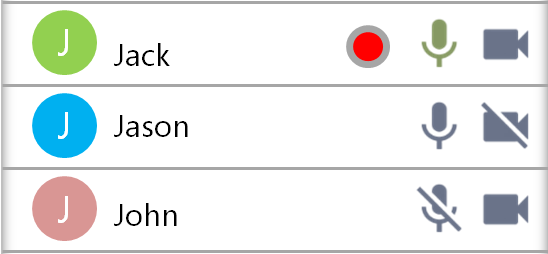
You can click or tap on the recording icon to stop the recording. After you stop the recording, the participant that was recording the meeting will be informed on his/her U Meeting display. U Meeting allows multiple participants to record the same meeting. If you need to stop all the recordings, you will need to stop the recording of each participant individually.


