





How do I turn the TrueTheater feature on/off in CyberLink PowerDVD 19?
To turn TrueTheater enhancements feature on/off in PowerDVD 19, do this:
- During video or disc playback, left click on the
 button on the playback control bar to enable or disable the TrueTheater enhancements feature.
To fine tune the TrueTheater enhancements during video/audio playback, do this:
- Right click on the button to open the TrueTheater configuration panel.
- Select the Advanced Enhancement tab.
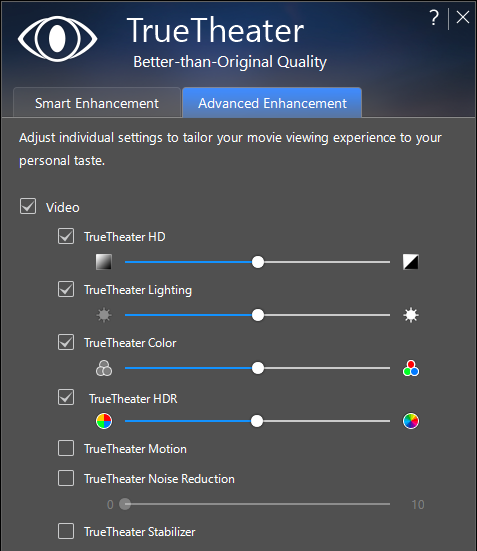
To learn more about TrueTheater, please refer to: https://www.cyberlink.com/stat/technology/enu/tech_vid.jsp#f3
Note:
- The maximum video resolution that TrueTheater HDR, TrueTheater Color, and TrueTheater Lighting support is 4K (4,096 x 2,160 pixels). The maximum resolution of the other TrueTheater features is Full HD (1,920 x 1,080 pixels).
- TrueTheater enhancements for the videos exceeding Full HD are supported on Windows 10 64 bit only.
- The TrueTheater video enhancements are not supported for Ultra HD Blu-ray playback.


