





Can I use my products on multiple computers or transfer them to a new one?
Both Subscription and Perpetual products can only be used on one computer per license at a time.
Subscription:
- Subscription products are associated with your CyberLink member account.
- To use the subscription product on two computers simultaneously, you need to purchase an additional license with a different email address. This enables you to sign in to two separate member accounts on different computers to use the product at the same time.
- To use the subscription product on a new computer, just sign in to your account, download the product from CyberLink Member Zone, and then install it on your new computer. [Click here for details.]
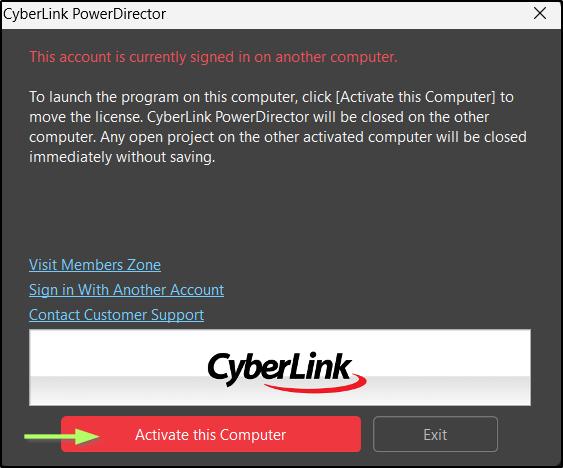
When you open the product, a window will pop up asking if you want to activate it on this computer. Click the Activate this Computer button, and you’ll be able to use the product on the new device.
Perpetual:
- Perpetual products need one product key for activation per license.
- If you want to use the product on another computer, please uninstall it from the first computer before installing it on the second one.
- To use the product simultaneously on two computers, you will need to purchase an additional license to obtain a new product key.
(#new computer)


