





A pop-up message informs me that using Switchable Graphics may cause problems while presenting my desktop in the live webinar. What can I do?
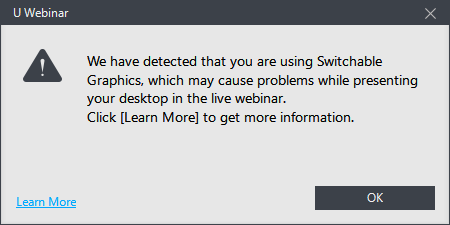
When you see this message, it means some problems occurred on a platform with a dedicated NVIDIA GPU.
To correct this issue, please make sure your NVIDIA VGA driver is up-to-date.
If the message still shows up after you updating your NVIDIA VGA driver, you can
- lower the primary monitor resolution to less than 1080p (ex:1920x1080); or
- disconnect a secondary monitor, if one is connected; or
- force U Webinar to use your discrete GPU by doing this:
- Right-click on the U Webinar desktop shortcut on your desktop.
- Click on ‘Run with graphics processor’.
- Click on ‘Integrated graphics’
If you are using an AMD GPU and you receive this message, please contact the support team.


