





Can I straighten a photo using a selected area of a photo?
To straighten a selected area in a photo, do this:
- Click
 to display the available crop and rotate options.
 - Drag the Angle slider until the photo appears to be level.
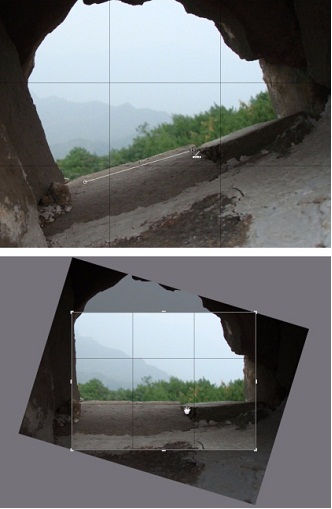
- Click Done. PhotoDirector crops out the excess portions of the photo to make it square.
Related Article:
-How do I change the crop area's aspect ratio?
-For further detail instructions, please click F1 to open PhotoDirector Help document. You can also refer to CyberLink PhotoDirector user’s guide.


