





Why can't I find Shape Designer feature in PowerDirector 20 Ultra?
For users who purchased the box version of CyberLink PowerDirector 20 Ultra and who cannot find Shape Designer feature in PowerDirector 20 Ultra. Please download/redeem the digital copy from CyberLink Digital Locker website.
To download/redeem your the digital copy of CyberLink PowerDirector 20 Ultra, do this:
1. Visit Digital Locker page (Find the URL on the small card inside the box.).
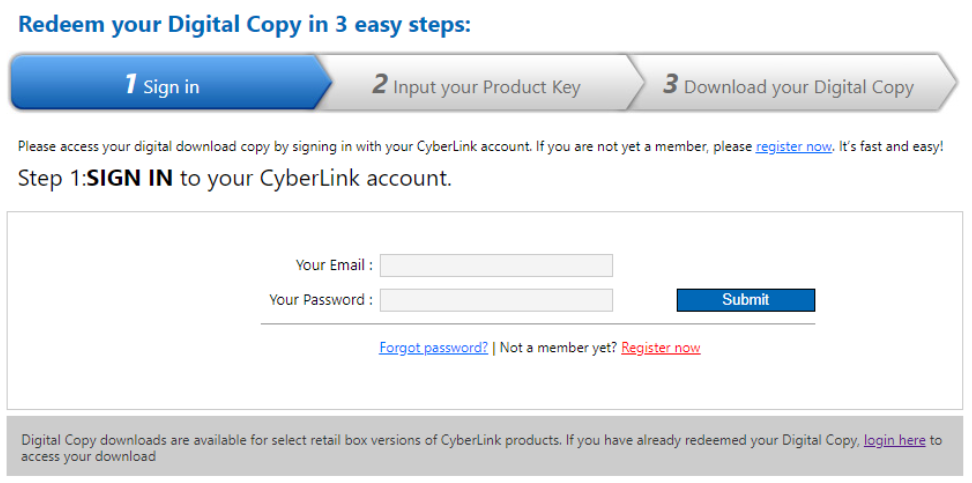
2. Sign in with your CyberLink member account.
3. Enter the product key from the installation disc of your product.
4. Once the system has verified your product key, your digital copy will become available for download.
5. Download the digital copy of CyberLink PowerDirector 20 Ultra.
6. Launch CyberLink PowerDirector 20 Ultra installer.
7. When the dialog prompts out and asking "CyberLink PowerDirector 20 Ultra is already installed on this system. Do you want to uninstall the current version and then re-install it?", click "OK" to continue the installation.
8. Follow the instruction of the installer to finish the installation.
9. After installation, you can find the Shape Designer feature in Video Overlay (PiP Objects) Room (F5)
How can I redeem the digital copy of my CyberLink product?
What is Shape Designer in CyberLink PowerDirector 18/365?
For more questions about the Shape Designer, please contact CyberLink customer service for further assistance:
https://www.cyberlink.com/support/index.html


