





Power Media Player Bundle version with CyberLink Power2Go 10 requires an 8-character serial number for Android/Windows mobile devices. Where can I find the 8-character serial number?
Android users need a serial number to activate Power Media Player Bundle version on their device. Below are three ways to find the serial number to activate Power Media Player Bundle version.*
- Find the serial number in Get Mobile App dialog after auto-transfer files to mobile device.*
- Or, click About dialog and find the serial number in Get Mobile App button.
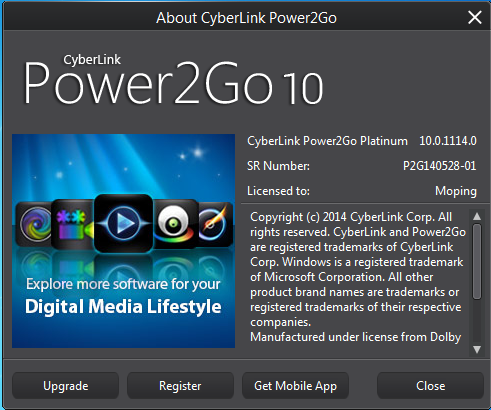
- Or, click Player for Mobile Device in Media Converter option and you will find the serial number.
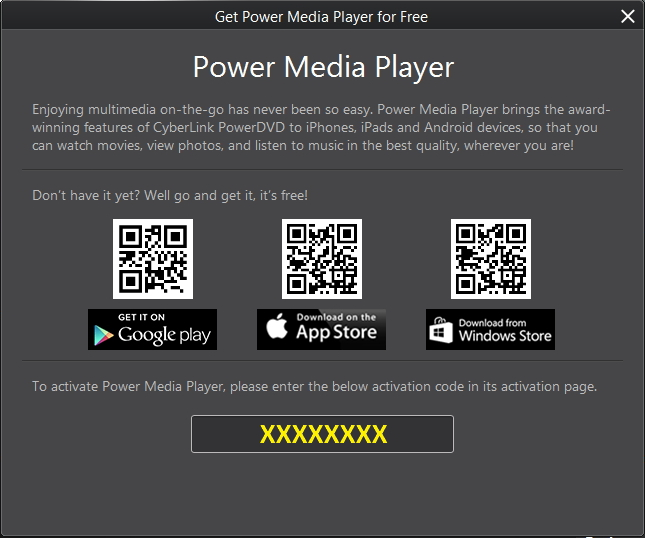
Note:
* Power Media Player for iOS Bundle version does not require activation.
** If you have already installed Power Media Player in your mobile device, Get Mobile App dialog will not pop up after auto-transfer files to mobile device.
For more information about Power Media Player Bundle version, please check here.


