





How do I select a range in the timeline in CyberLink PowerDirector 365?
In the new version of PowerDirector (released after Oct. 2024), to enhance user experience and make it easier for users to select a range, the range selection tools (yellow nodes in the timeline) have been repositioned.
To select a range in the timeline, please do this:
- Right click on the clip or on the timeline and then select "Select Clip Range" option in the context menu. You can also press the X hotkey to enable this option directly after selecting a clip or clicking on the timeline.
- Drag the yellow nodes to decide the range in the timeline.
- Copy, cut (for pasting), remove or export the range with the correspondent buttons above the timeline if needed.
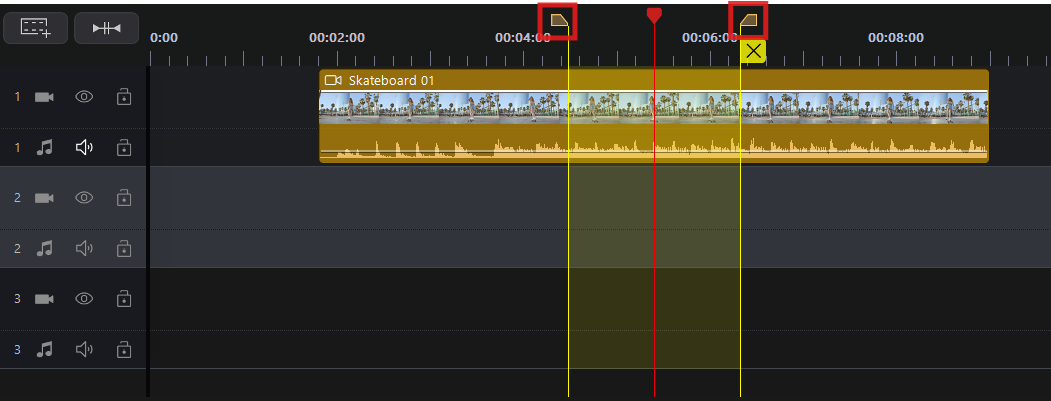
If you want to exit the range selection tools, please simply click the  button beside the yellow node on the right-hand side.


