





How do I use the AI Anime Video feature to turn my video into an anime style?
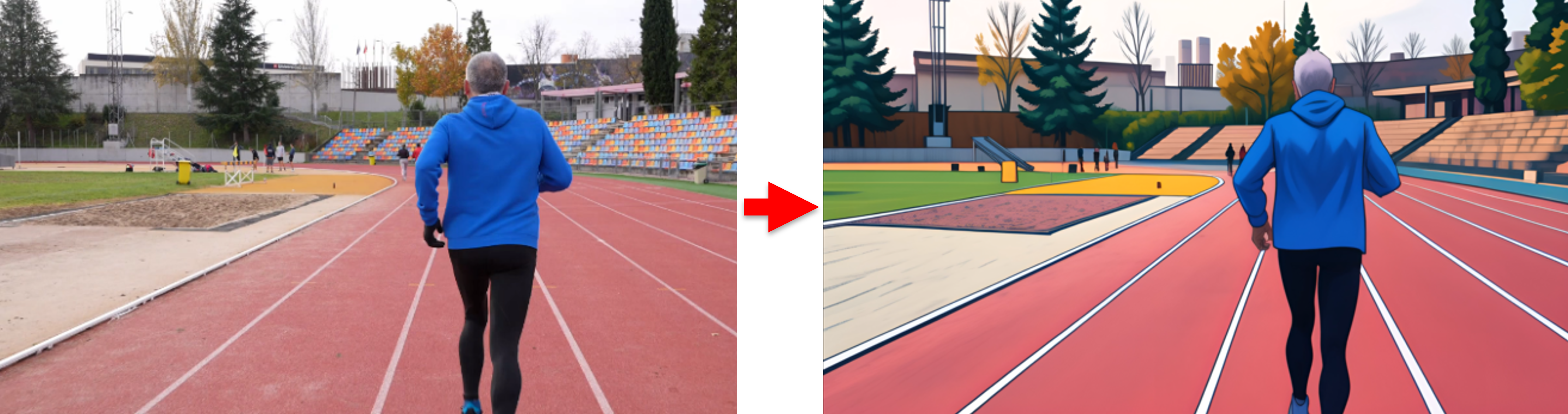
In the new version of PowerDirector 365 (released in Feb. 2024), The AI Anime Video feature was added to help you transform your videos into anime characters and scenes.
To use the feature, please do this:
- Go to Tools > AI Anime Video.
- Select a style, click Start Now and then select a plan for the video length to be produced1.
- Select a video from your hard drive, trim the video length (if required), and click Generate.
- Generate the anime video by PowerDirector. The longer the video length to be produced, the longer the time the generation process takes.
- After the anime video generation completes in the My Creations window, you can click to preview the resulting video and choose to either add it to the timeline or export it directly.
Note:
- AI Anime Video is a credit-based feature. It consumes credits for every second of video generated. If your current credits are insufficient, you can click the Get Credits button in the feature window to purchase additional credits.
- If you want more information about Credits, please check Credit FAQ.


