





How do I browse and download background music and sound effects clips in CyberLink PowerDirector 365?
PowerDirector 365 has moved the background music and sound effects from the Media Room to the new Audio Room since Oct. 2024.
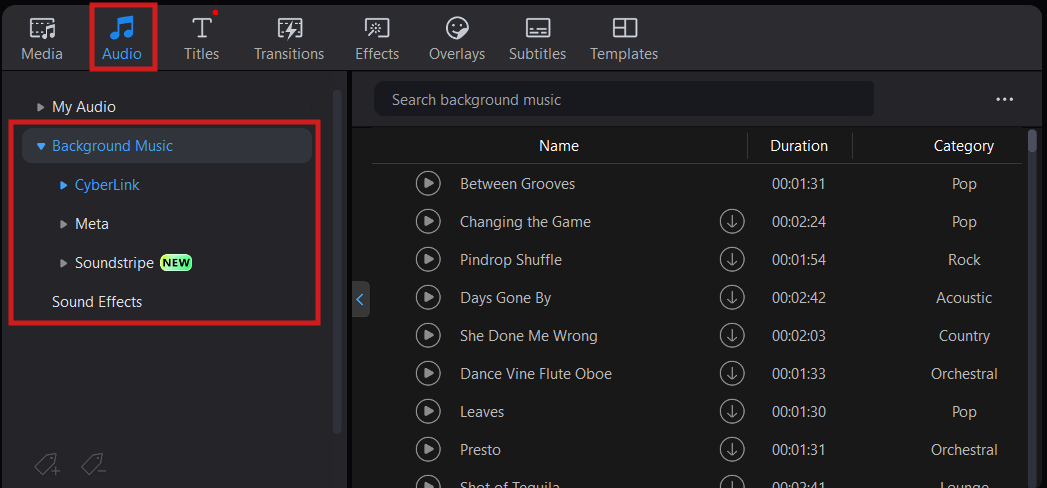
To browse through the audio clips in PowerDirector, please go to the Audio room > Background Music page and Sound Effects page. Then, you can download the audio clips for use in your video projects.
In the Background Music page, there are three category: CyberLink, Meta1, Soundstripe. You can preview the music before downloading.
Note:
- The music in Meta audio library is only licensed for using in Meta services, such as Facebook or Instagram. You may find the Terms of Use of Meta Audio Library on the below website: Meta Sound Library Terms of Use


