





How do I close, exit, or disable CyberLink Power2Go desktop burning gadget when Windows starts?
1. Find the “Power2Go Desktop Burning Gadget” icon (the “fire icon” indicated in red in the snapshots below) in the Windows system tray/notification area.
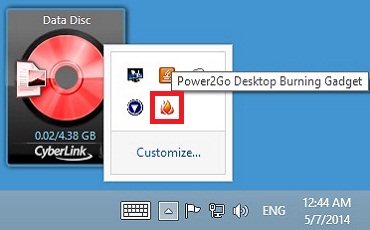
2. Right-click on the “Power2Go Desktop Burning Gadget” icon to display the menu as in the snapshot below. Click the option “Start Program When System Starts” to un-check it and the Power2Go Desktop Burning Gadget will be disabled when Windows restarts next time.
3. Right-click on the “Power2Go Desktop Burning Gadget” icon again, and then select "Exit" to close it.


