





The launcher of CyberLink PhotoDirector 365 has been re-designed in the new version that released after Apr. 2023. How do I enter the Library, Adjustment (Adjust), Guided, Expert (previously known as Edit), and Create modules in the new version of CyberLink PhotoDirector 365?
In the new version of PhotoDirector 365 (released after Apr. 2023), the program launcher has been redesigned with two new modes: Organize and Adjust and Edit as below:
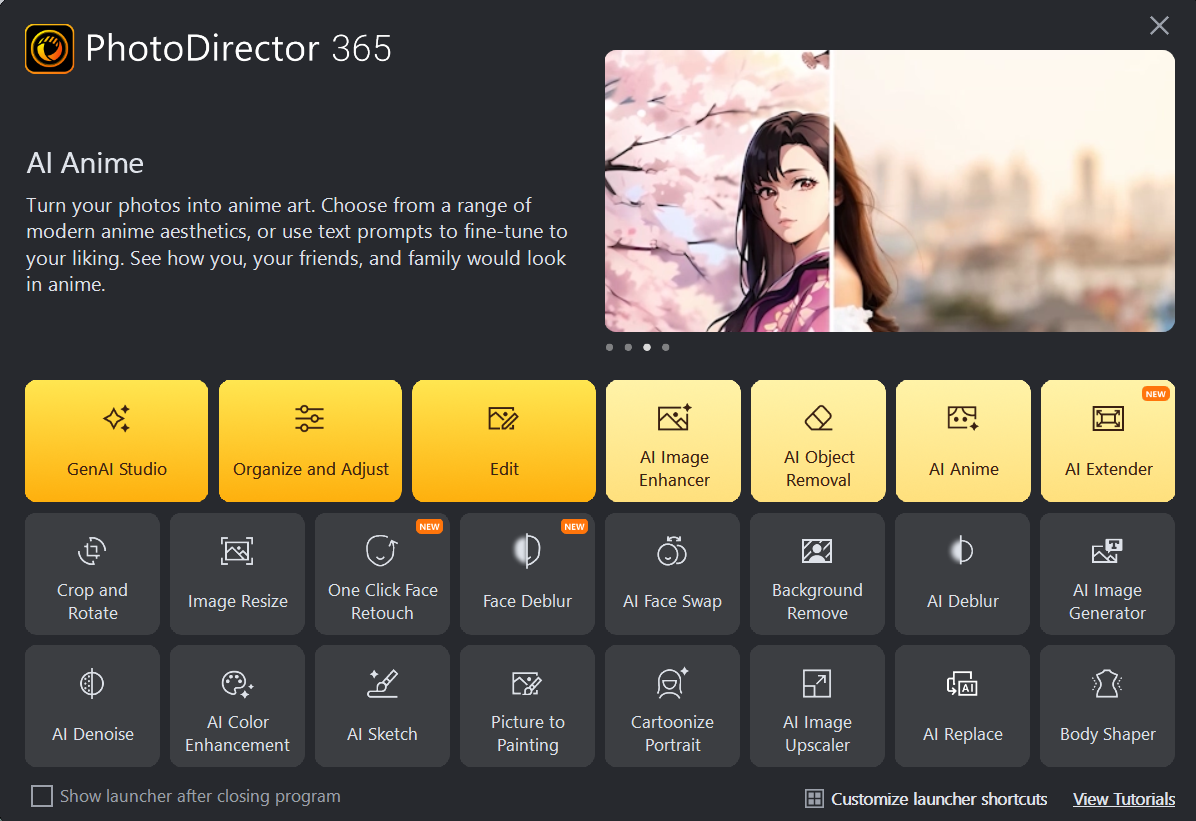
You can now click Organize and Adjust to enter the Library, Adjust (previously known as Adjustment), and Create modules in PhotoDirector, or edit a photo directly in the GenAI Studio, Guided and Expert (previously known as Edit) modules by clicking Edit on the launcher.
You can also switch to GenAI Studio, Guided and Expert modules at any time later after you entered the Library, Adjust or Create module in the Organize and Adjust mode.
To switch the editing modules, you can click the Edit button at the top right side of PhotoDirector window as below:
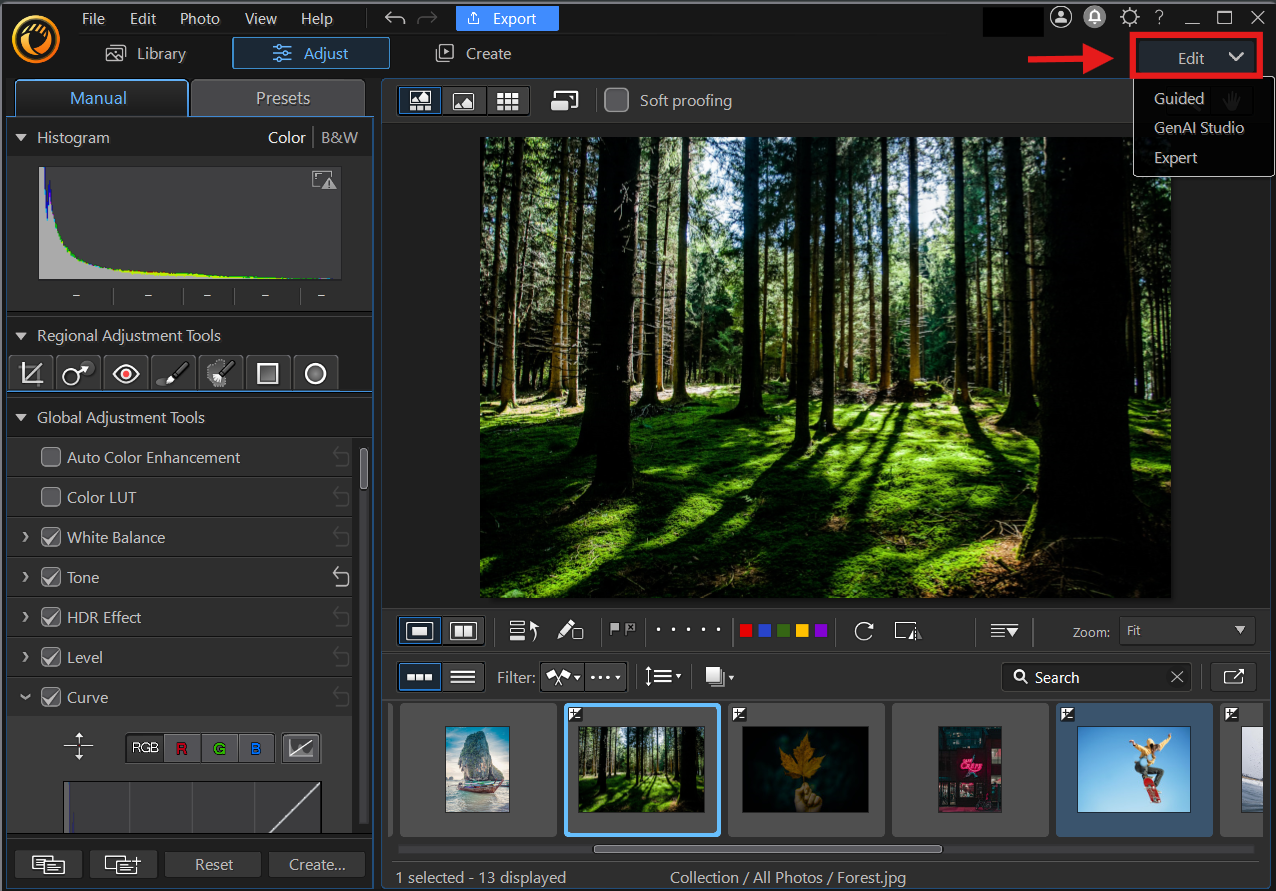
To import or adjust photos after you edited them in the GenAI Studio, Guided and Expert module, you can click the File > Go to Library option on the title bar to export and bring your edited photos to Library, or edit them in the Adjust, or Create module later.


