





How do I use the Cartoonize Portrait feature in CyberLink PhotoDirector 365?
CyberLink PhotoDirector 365 supports the Cartoonize Portrait feature that helps you convert your photos into cartoons in just a few clicks.
To use the feature, do this:
- Click Edit on PhotoDirector launcher, and then select a photo to edit in the Guided module.
- Click the AI Effects tab and select the Cartoonize Portrait feature.
- Select a style template1 from the template list. Note that processing and applying the style to the photo may take some time.
- Adjust the Strength of the style effect if required.
- Click Export to export your stylized result.
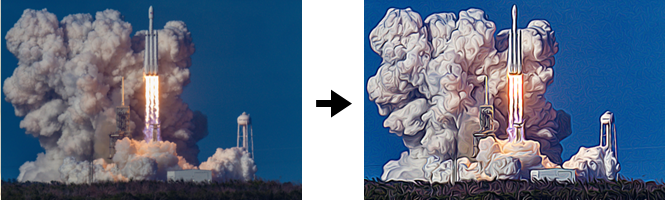
For instance, a scenery photo that has a style applied:
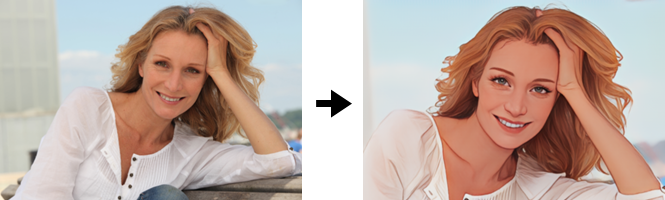
For instance, a face photo that has a face style applied:
Note:
- Style templates labelled with the
 icon are for photos containing human faces, and they are only supported in the Ultra or above edition of PhotoDirector.


