





How can I optimize the loading speed or quality in CyberLink PhotoDirector preview panel?
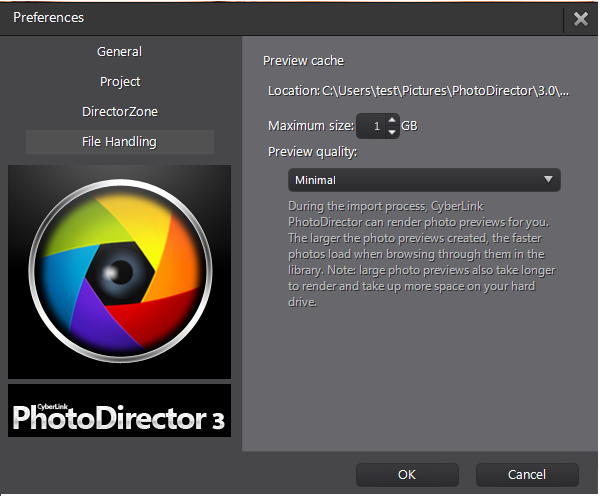
When you select a photo in the browser panel, the time it takes for the photo to load is dependent on quality of the preview rendered. CyberLink PhotoDirector lets you render a preview of each photo (which is saved in the preview cache location folder) to enable faster load times when browsing through them.
Please go to CyberLink PhotoDirector top menu bar, and select [File]> [Preferences]> [File Handling].
- Preview quality (Minimal): This setting is the small, low-resolution photo previews. The speed of "Import Photo" is faster but it needs more response time to display and work with these photos.
- Preview quality (1:1): These previews are a 100% view of actual photo pixels. It makes more response time to "Import Photo" but it is much faster to display and work with these photos.
- Preview quality (Standard): the speed and the quality are between Minimal and 1:1 setting.
You may also manage your cache size in the Preferences window to limit the maximum size.
Note: For further detail instructions, please click F1 to open PhotoDirector Help document. You can also refer to CyberLink PhotoDirector user’s guide.


