How do I modify or remove a memo?
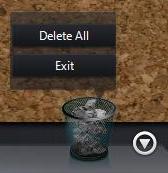
To edit an existing memo, select the pin/tack/magnet holding it to the corkboard, and then select the paintbrush icon to open the edit memo window. To remove a memo from the corkboard, just drag it to the recycle bin in the bottom right corner. You can select the recycle bin to view all the memos it contains. Drag a memo back to the corkboard to remove it from the recycle bin, or select the recycle bin again and select Delete All.