How can I modify the capture date in the photo EXIF information in CyberLink PhotoDirector 6?
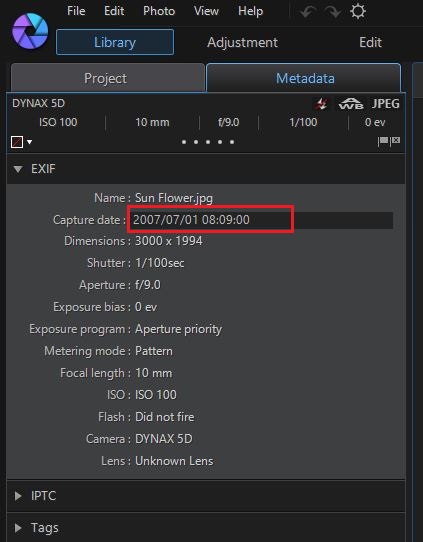
Please follow the steps to edit the capture date in photo EXIF.
- Go to the Library and choose a photo.
- Click MetaData tab
- Click on the field of Capture date in EXIF information to edit it.