





Error: MediaShow6.exe has stopped working. What do I do if I encounter this message?
CyberLink MediaShow 6 now includes the Issue Reporter. If you see the above message, it means MediaShow encounter an unexpected situation and needs to be closed.
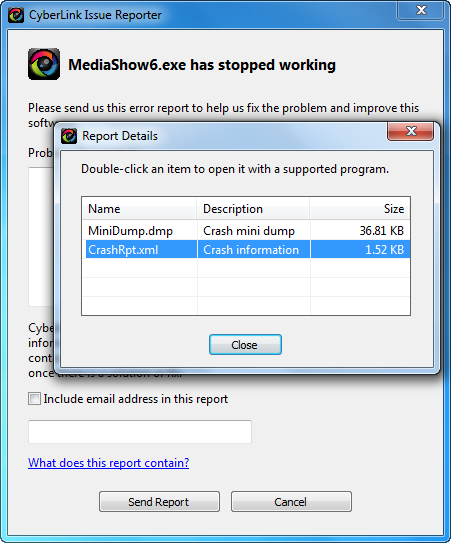
Note: Please note that the CyberLink development team will not reply to you after receiving your issue report. Instead, the CyberLink development team will analyze the report and try to fix the issue in future updates.
You may refer to this article when encounter this error. If you still can’t resolve the problem, you can contact CyberLink Technical Support.
Note: Before contacting Technical Support, please prepare and include the information listed here and the CyberLink Issue Reporter log file*. The more info you provide, the more we can understand your issue and better service will be provided.
* Find the CyberLink Issue Reporter log files:
- Windows 7 or Windows Vista:
C:\Program Data\CyberLink\Boomerang\MediaShow6\ - Windows XP:
C:\Documents and Settings\All Users\Application Data\CyberLink\Boomerang\MediaShow6\
Zip the MediaShow6 folder, which includes MiniDump.dmp and CrashRpt.xml files as .zip and send to us.
If your program crashes or closes but you did not see the CyberLink Issue Reporter window, please provide event log files to us. Click here to see how to generate event log information.
Related Articles:


