





I receive an incompatible graphics card driver error (code: 0201) during Blu-ray movie playback in PowerDVD. What can I do?
To enable Blu-ray movie playback on Windows, PowerDVD relies on graphics processor support and the display features offered in Windows to perform the playback feature.
If you got an incompatible graphics driver error with the error code 0201 during Blu-ray movie playback as below:
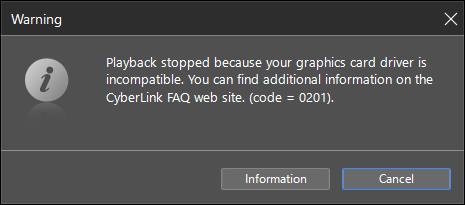
Please do this to adjust the Windows display settings for the Windows version you installed:
For Windows 10,
- Right-click on your Windows desktop to open context menu.
- Select Personalize.
- Select High contrast settings under the Related Settings section at the right panel.
- Select the theme as None under the High contrast section.
For Windows 8/8.1,
- Right-click on your Windows desktop to open context menu.
- Select Personalize.
- Select one of the Windows display themes under the Windows Default Themes category to apply it.
For Windows 7,
- Right-click on your Windows desktop to open context menu.
- Select Personalize.
- Select one of the Windows display themes under the Aero Theme category to apply it.
After the above configuration is applied, reboot Windows, and then launch PowerDVD to check the Blu-ray movie playback condition.
If you still encounter the playback error after performing the above suggestion, please contact CyberLink customer support for further assistance.
https://membership.cyberlink.com/support/service/technical-support.do


