





Download and Install a product
[Subscription]
Subscription products are associated with your CyberLink member account. You can find and download your subscription product in the CyberLink Member Zone. Click here for more details.
[Perpetual Products]
For perpetual products, a product key is required to download and install the software. Enter your product key on the Download page and then click the Redeem button to get the download link.
Once the download is complete, double-click the downloaded file to install your software. During installation, you will be required to enter the product key again to activate the software.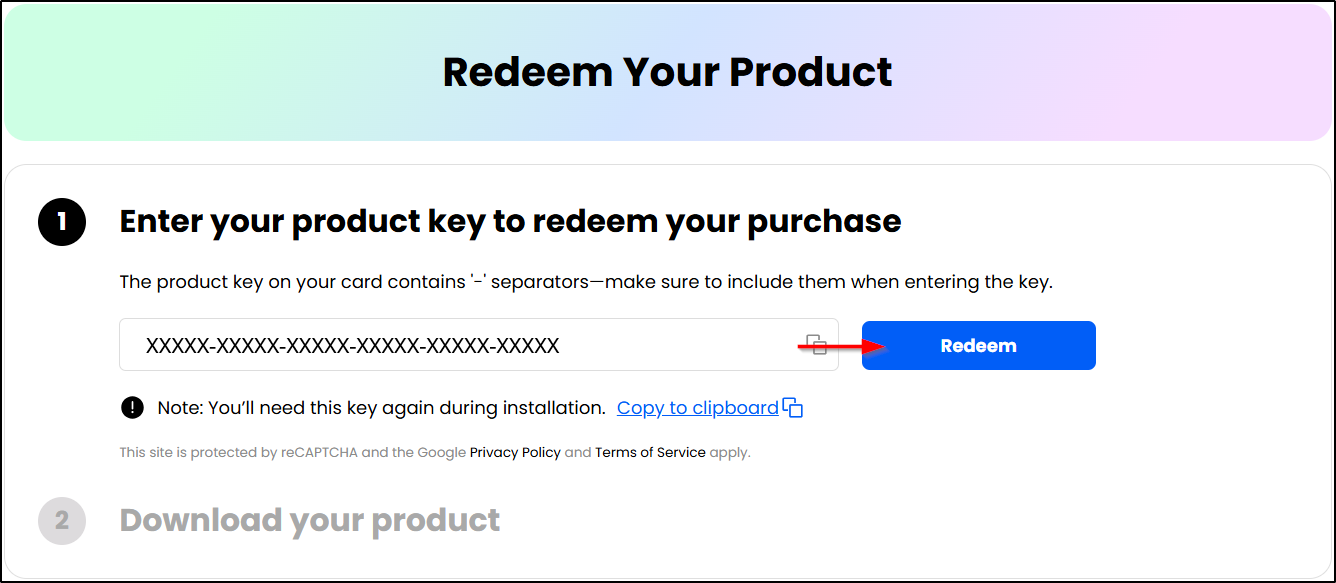
※ The Essential version cannot be updated to a full version. Please save the downloaded software on your computer or cloud device to ensure it is available for future reinstallation.
[Bundled version]
Bundled software is provided for free with the purchase of certain hardware, such as a computer or device. Unlike our subscription or perpetual products, this bundled software usually comes with customized specifications and limited features.
Please follow the installation/activation instructions provided with the hardware product you purchased.
If you have lost the software, you can download the Essential version for free from our website. Should it meet your needs, you may choose to purchase a full version.
(#watermark)


