How do I download and install PhotoDirector related content (templates) packs to use in the new version of CyberLink PhotoDirector 365 (released after Apr. 2022)?
In the new version of CyberLink PhotoDirector 365 (released after Apr 2022), you can now download all the available template or content packs (e.g. Stickers, Sky Replacement templates, Express Layer Templates pack, etc.) within PhotoDirector when using related features or tools, without having to use CyberLink Application Manager to download and install them separately.
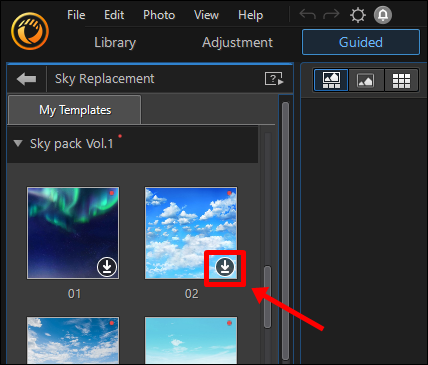
You can also choose to download and use a single template in a content pack, instead of downloading the entire content pack.
For example in the Sky Replacement tool, the templates will be shown like below, and you can just select any of the templates you like to download them solely, and then use them right away: