





How do I use a custom background image in aligned mode?
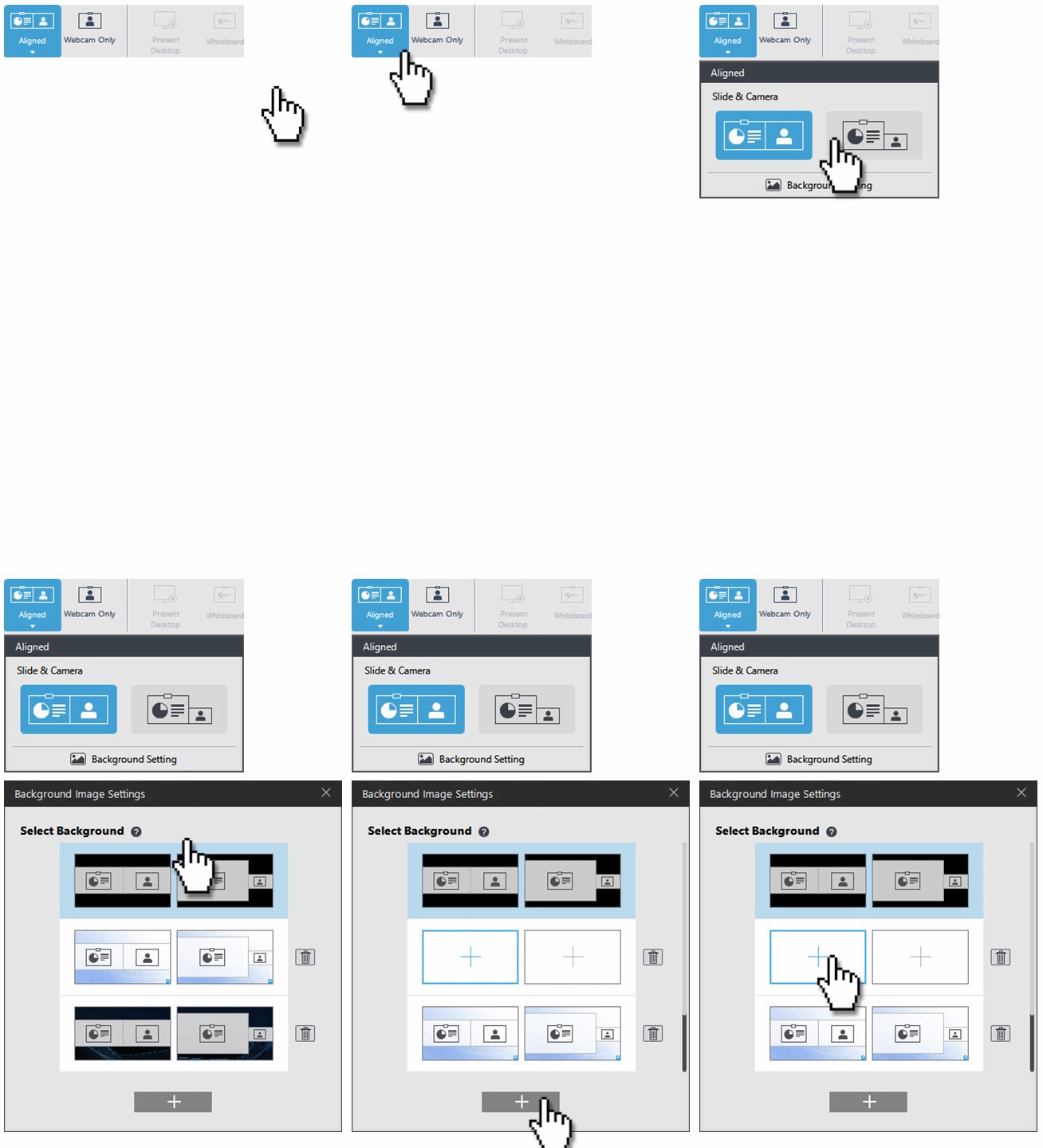
To change the background image in aligned mode:
- Click the drop down menu below the Aligned icon.
- Click "Background Setting".
- Click the "+" icon to add an empty template.
- Click the "+" icon in the empty template to import your custom photo.
(The supported aspect ratio of the image is 16:9)
You can also replace the customized image by clicking the “edit” icon on the template.


