





How do I create or Join a U Messenger discussion group for a U Webinar?
Overview
A U Messenger discussion group lets U Webinar audience members discuss the webinar topic before, after or during the webinar is presented. It can also help the webinar's host get direct audience feedback. You are able to get more information in the FAQ.
For a webinar host
How do I create a U Messenger discussion group for the audience of a webinar?
[When scheduling a new U Webinar]
- Visit https://u.cyberlink.com/user/profile.
- Browse to My Webinars on the website.
- Choose Schedule Webinar.
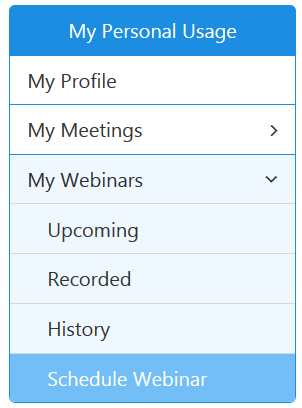
- Enable the option "Linked U Messenger Group" when scheduling the webinar.
- Name the group in the "Group Name" field.
- Click the "Finish" button to complete the scheduling of the webinar.
- Find the discussion group in your U Messenger.
A URL for the discussion group will be included in the invitation e-mail and the audience can use the URL to join the group. If your webinar requires registration, the registrants can join the discussion group via the webinar registration confirmation email.
[Create a group for a scheduled webinar]
- Visit https://u.cyberlink.com/user/profile.
- Browse to My Webinars on the website.
- Choose Upcoming.
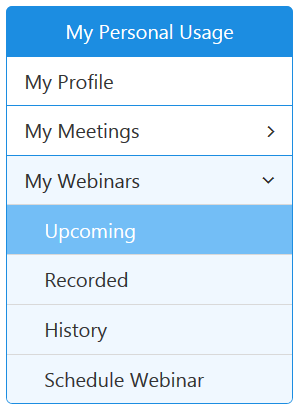
- Find the webinar you want to manage, and then click the
 button.
 - Enable the option "Linked U Messenger Group" when editing the scheduled webinar.
- Name the group in the "Group Name" field.
- Click the "Finish" button to complete the scheduling of the webinar.
- Find the discussion group in your U Messenger.
- Invite your audience to join the discussion group. (hyperlink to the next FAQ)
How do I invite my audience to join my webinar U Messenger discussion group?
After you have created a U Messenger discussion group for your webinar (hyper to the previous FAQ), do this
- Visit https://u.cyberlink.com/user/profile.
- Browse to My Webinars on the website.
- Choose Upcoming.
- Find the webinar you want to manage, and then click the
 button.
 - Find the URL for the discussion group of the webinar.
- Send the discussion group URL to the audience via e-mail, SMS or U Messenger.
For a webinar participant
How do I join a webinar U Messenger discussion group?
[A webinar requires registration]
- Select the option "I would like to join the U group for this webinar." when you register for the webinar.
- Click "Register" to send out the registration.
- After you successfully register for the webinar, click the button "Start Discussion Now!" in the registration confirmation e-mail to start discussion.
[Before or after a webinar]
- Click or tap on the button "Join Now" on the webinar display screen.
- Join the group to start discussion.


