

How do I redeem the free CyberLink Cloud bundled with my products?
CyberLink Cloud allows you to store and access your photos, music, and videos across devices, and may be included for free with certain CyberLink products.
Which products include free CyberLink Cloud?
When you purchase certain products (such as PowerDirector or PhotoDirector), you will receive free CyberLink Cloud storage as part of your product. Please check the product page to see whether your purchase includes Cloud service.
How to redeem and access my CyberLink Cloud?
CyberLink Cloud is linked to your CyberLink account, and can be redeemed as follows:
- Subscription product:
With a subscription, the Cloud service is automatically redeemed and linked to your account. No additional steps are required. As long as your subscription remains valid, you can continue to use CyberLink Cloud. - Perpetual product:
For perpetual products, the free CyberLink Cloud service can be redeemed after the product is installed and activated.
Steps (using PowerDirector as an example):
1. Launch PowerDirector
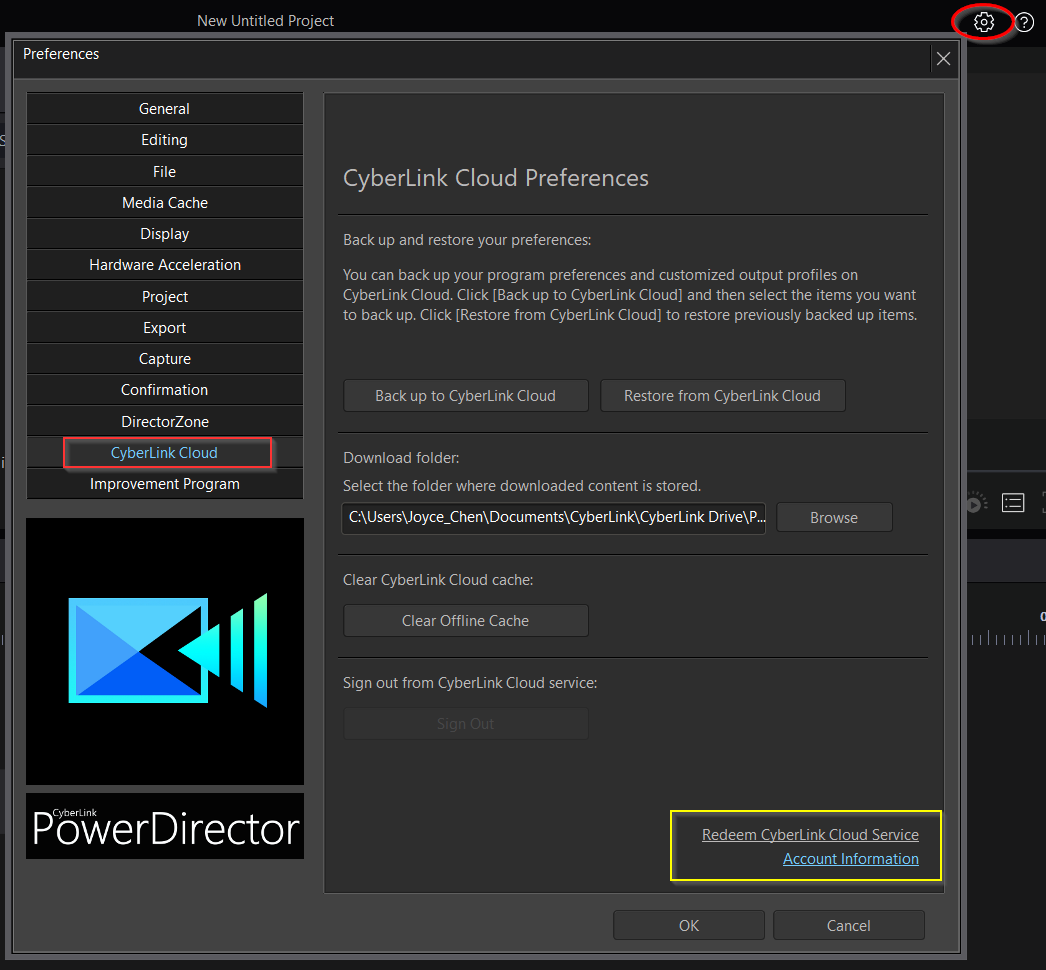
2. Click the gear icon in the top-right corner to open the Preferences window, and then select the CyberLink Cloud tab.
3. Click the Account Information to check or sign in your member account.
4. Click Redeem CyberLink Cloud Service.
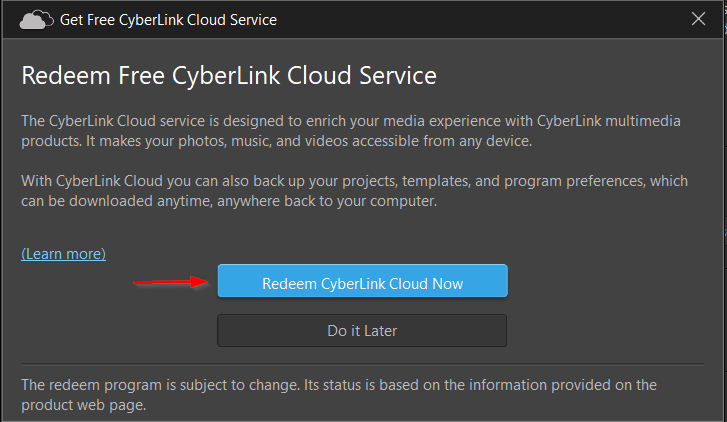
5. Then click Redeem CyberLink Cloud Now in the pop-up window.
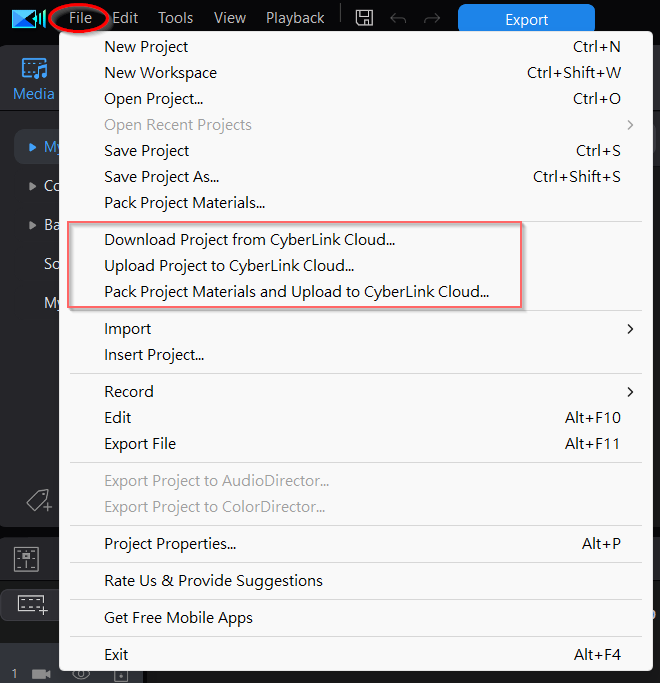
Once CyberLink Cloud has been activated, you can access cloud features directly from the product UI.
From the File menu at the top of the screen, you can upload projects to CyberLink Cloud, or save and upload project materials as a package.