





How to activate or redeem your products purchased outside of CyberLink website (such as Amazon, Dell, Lenovo)?
Upon purchase from third party websites or channels, you will receive one product key per software license from the seller. You can use this product key with your CyberLink member account to redeem subscription products or a digital copy for perpetual products. If you don’t yet have a CyberLink member account, click here to sign up for a new member account.
Steps:
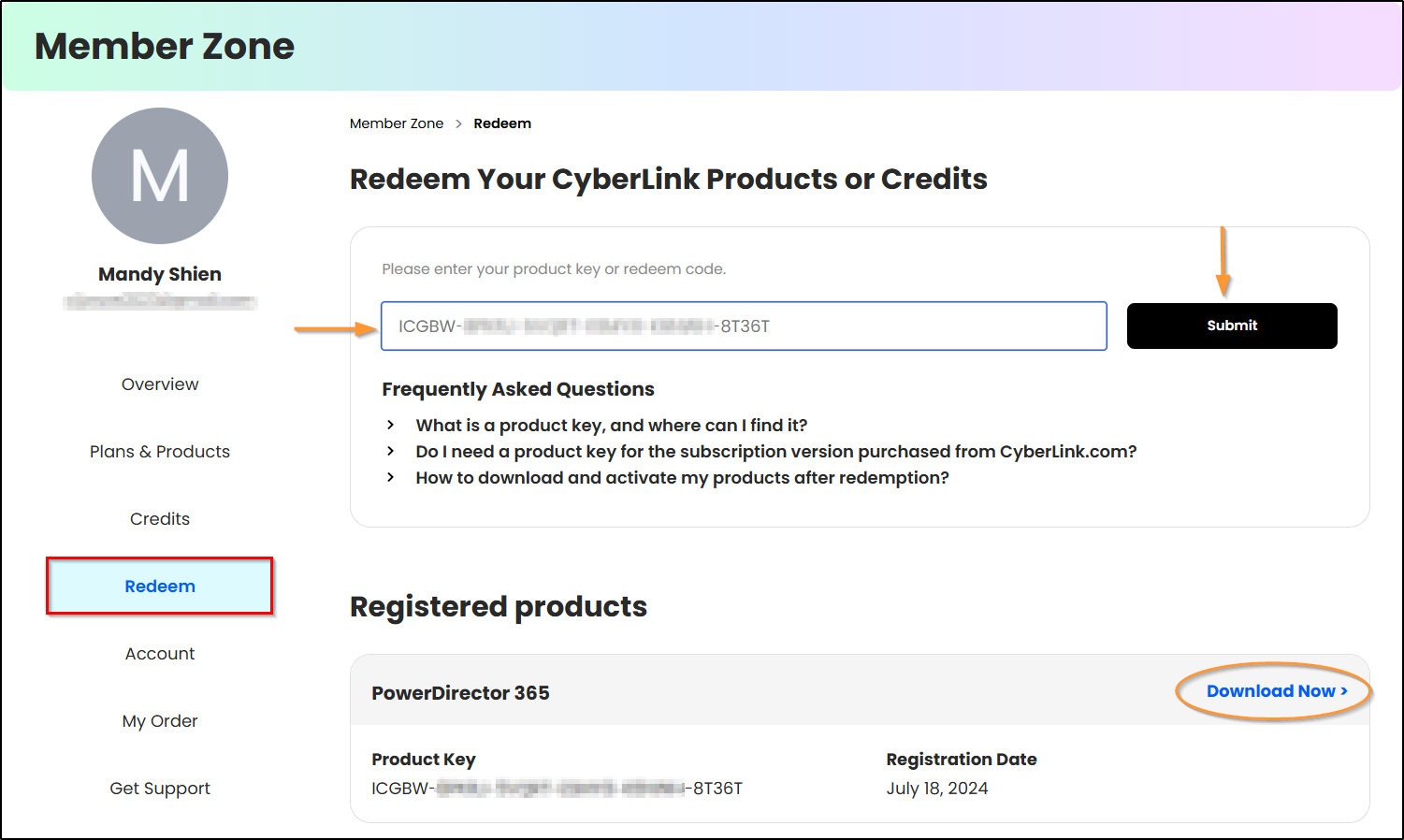
1. Log in to CyberLink Member Zone.
2. Go to Redeem and then enter your product key.
3. Click the Submit button to redeem your subscription or digital copy.
4. Click Download Now in Registered Products section to download and install CyberLink Application Manager.
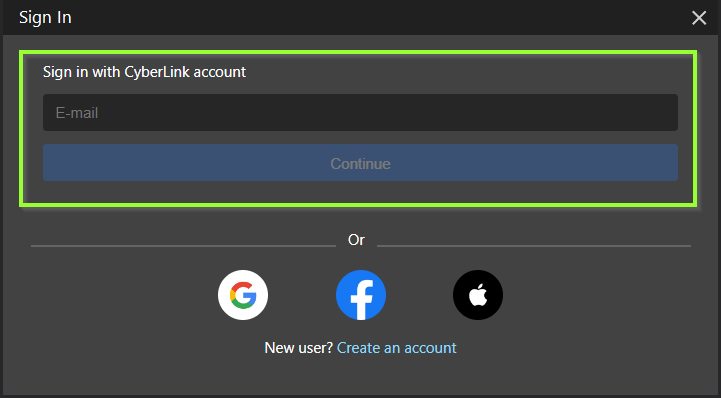
5. Open CyberLink Application Manager and then sign in with your CyberLink member account.
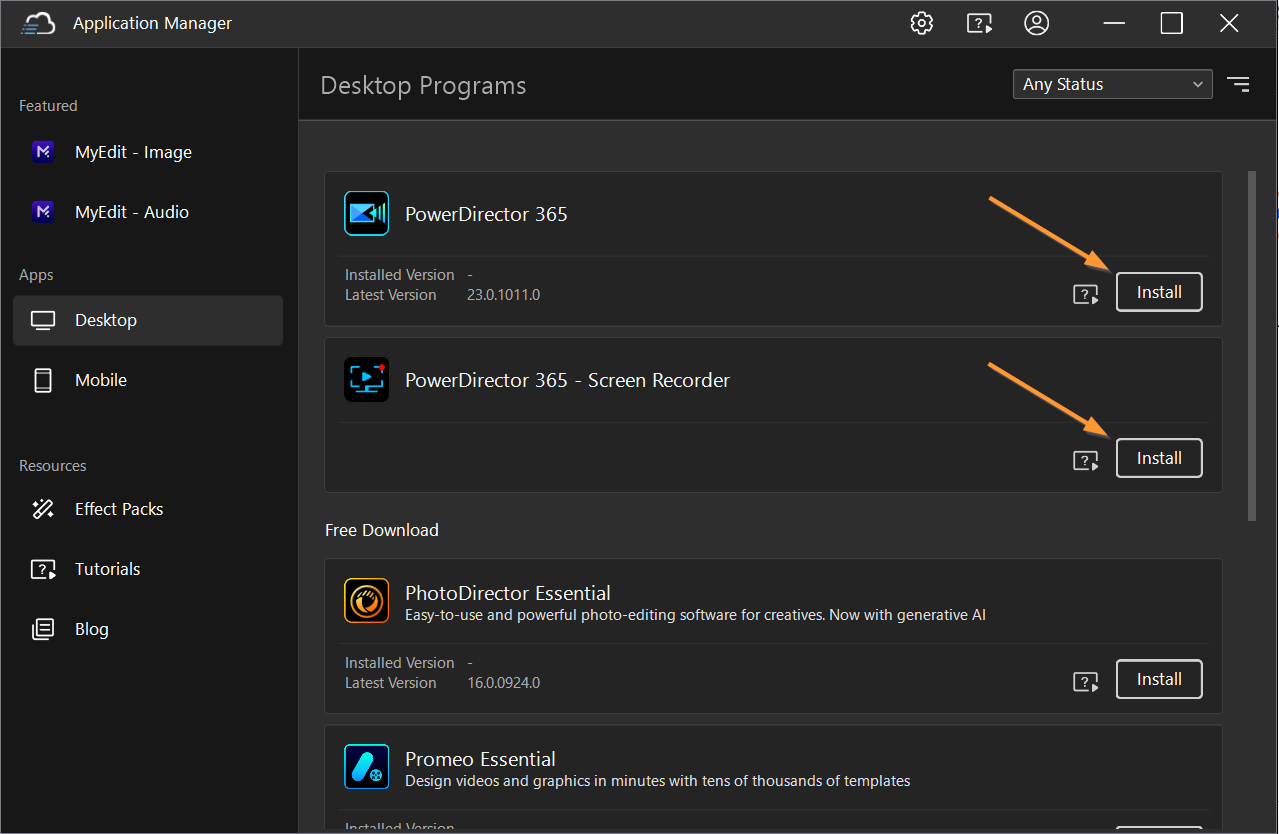
6. Find your subscription software in Desktop Programs. Click Install to download and install your subscription product.
Note:
If you purchased a subscription product, each product key unlocks a one year of subscription. After one year, your subscription will expire. If you would like to continue using the product, you can simply extend your subscription by placing a new order on our online store.


