

How do I register my products?
[Subscription]
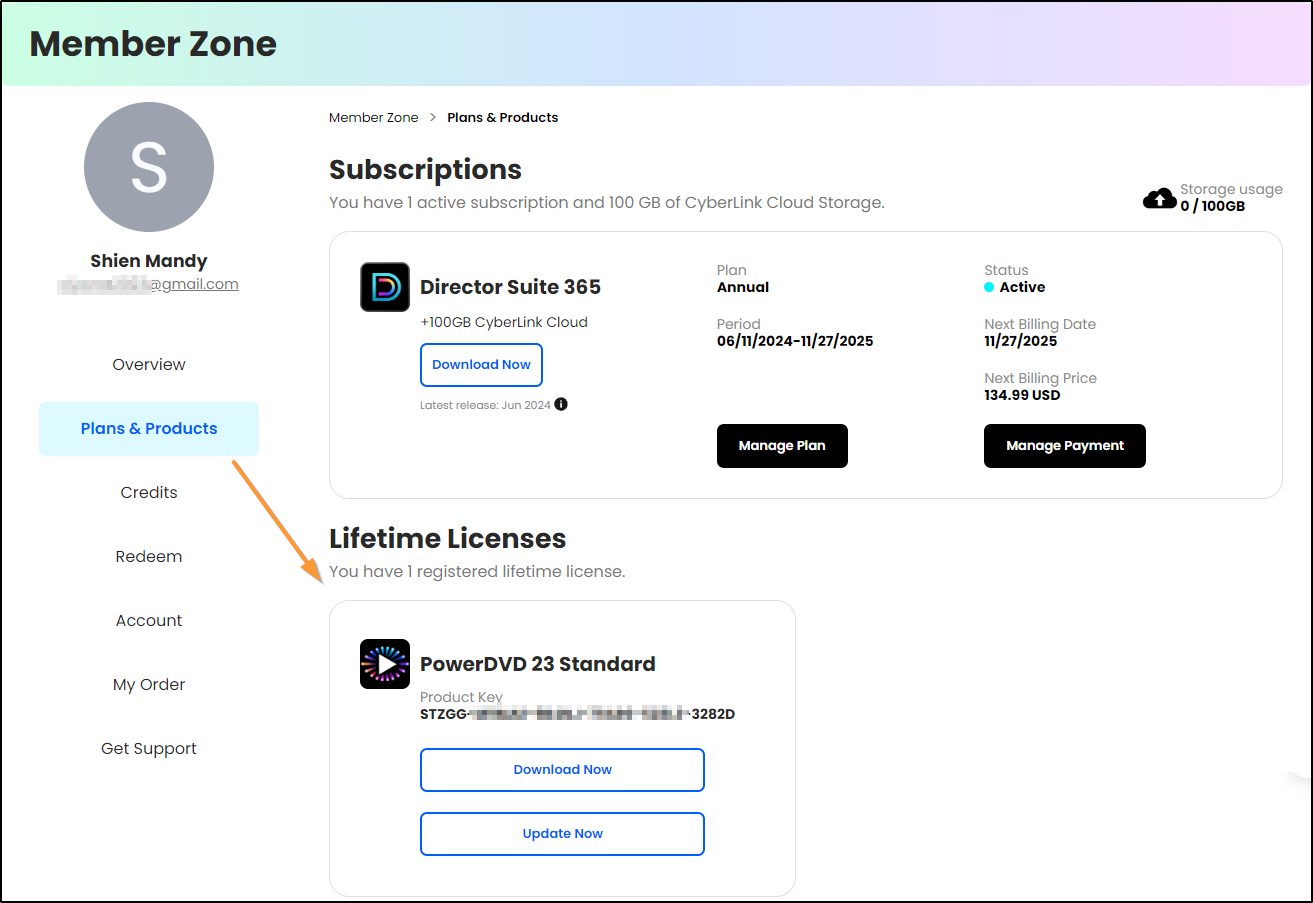
No registration is needed for your subscription products. They are associated with your CyberLink member account. You can always check and manage your subscription in the “Plans & Products” section of CyberLink Member Zone.
Click here for more details.
[Perpetual products]
There are two ways to register your product: (1) Product Interface (2) CyberLink Member Zone:
- Product Interface:
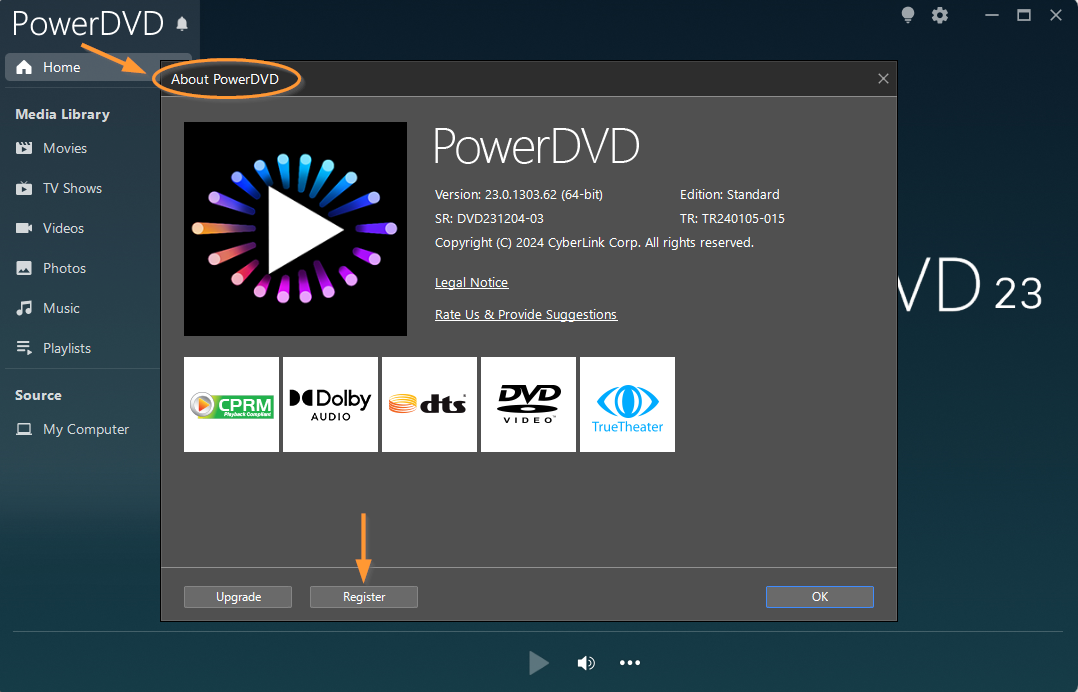
- Launch the product and click on the product logo in the upper left/right corner to open the "About" window. From there, click "Register" to register the product.
2. Fill in your name and email address.
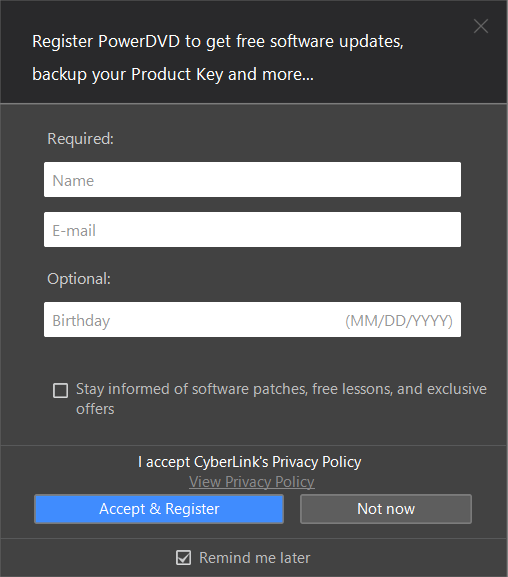
3. Click Accept & Register to complete the product registration.
- CyberLink Members Zone:
You can register your product with the product key in the CyberLink Member Zone.
1. Log in to CyberLink Member Zone.
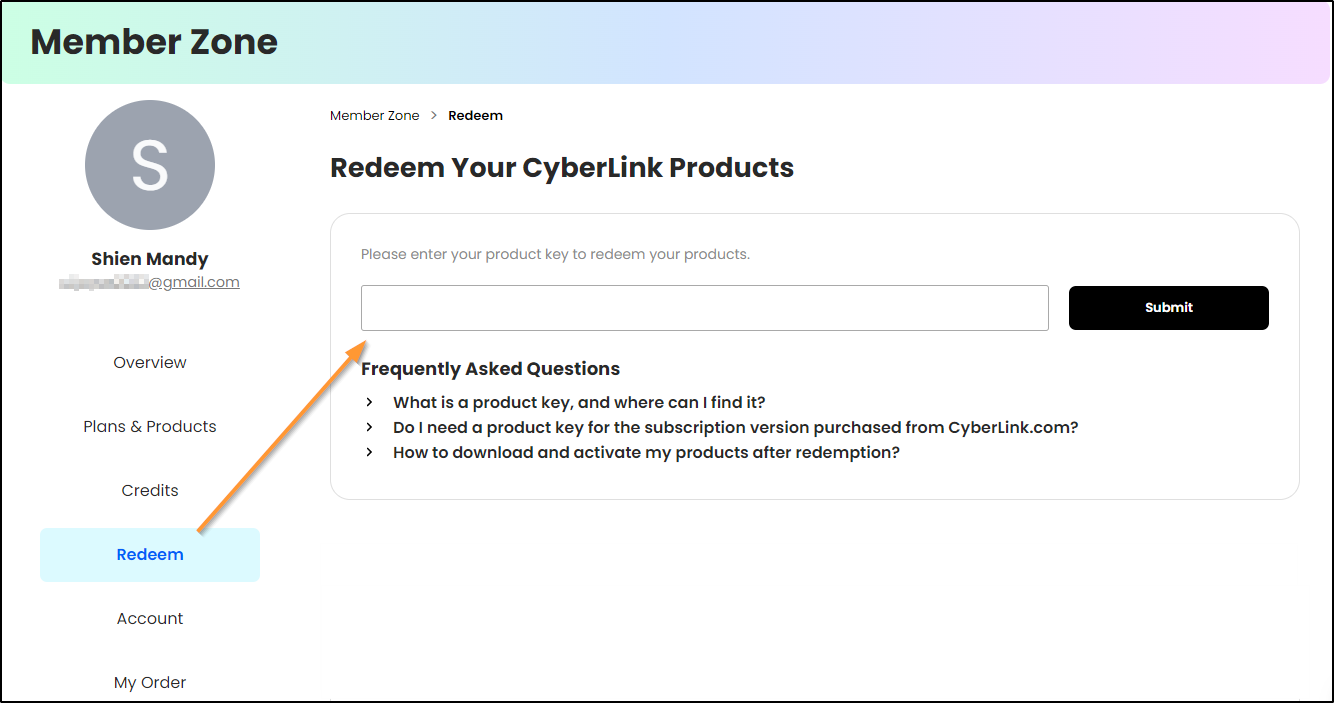
2. Go to Redeem and then enter your product key.
3. Click the Submit button to register your product.
※By registering your product in the CyberLink Member Zone, you will also redeem the product's digital copy and the free CyberLink Cloud storage included with it.
After completing the product registration, you can view the product registration in the “Plans & Products” page of the CyberLink Member Zone.