





How do I deactivate and reactivate auto-renewal?
Auto-renewal makes subscription renewals automatic. This will ensure your subscription is always active so you don’t lose your projects.
If you would like to deactivate auto-renewal, please follow the steps below:
- Sign in to CyberLink Member Zone.
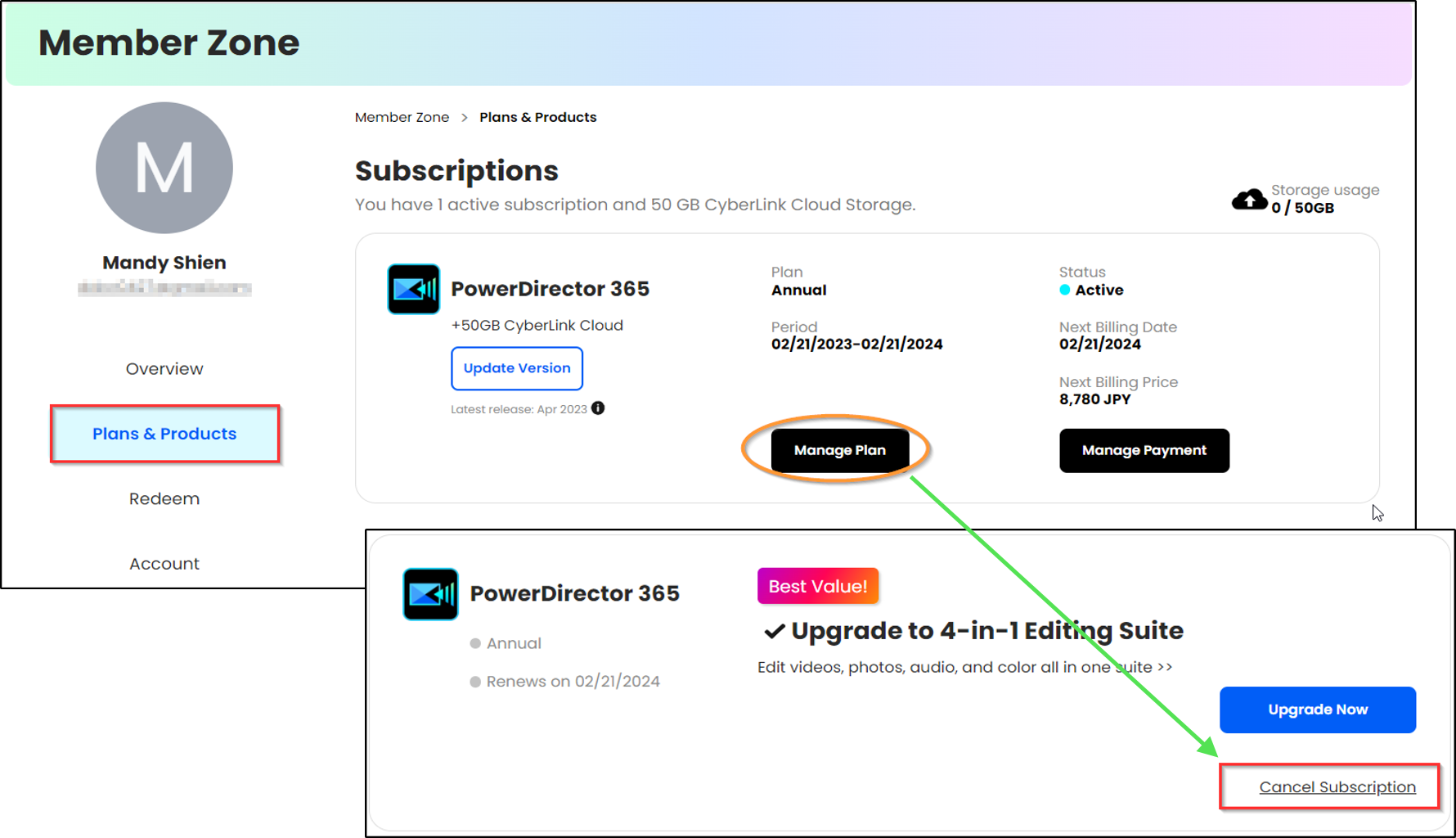
- Go to Plans & Products and find your subscriptions
- Click Manage Plan and then Cancel Subscription to deactivate auto-renewal.
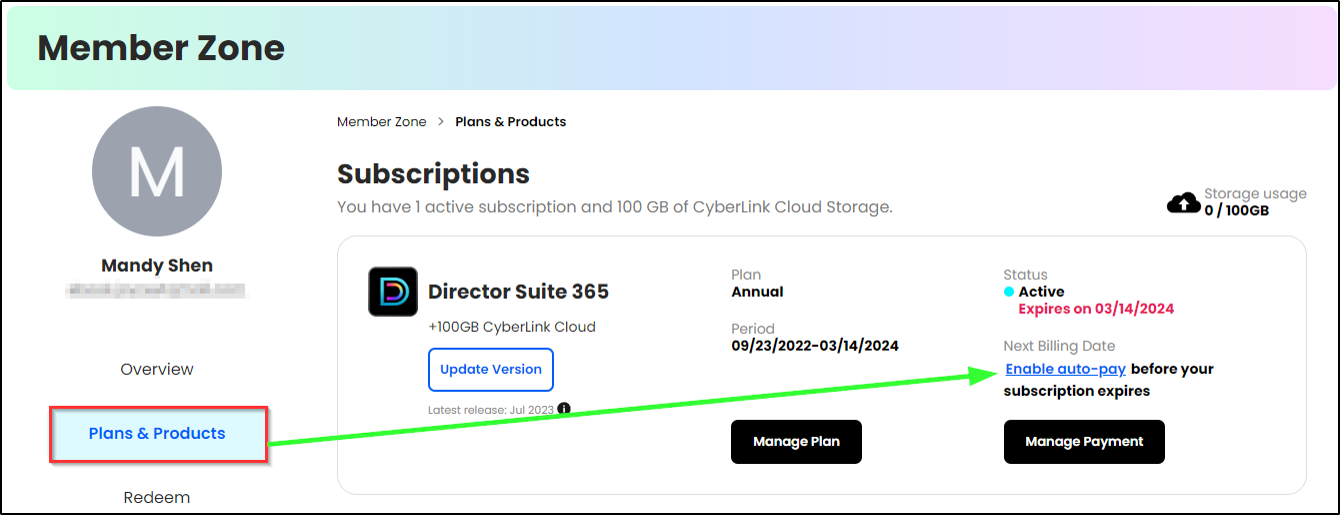
To reactivate auto-renewal, please follow the steps 1 and 2 in the instructions above.
Then click Enable auto-pay to reactivate auto-renewal.
Please note that CyberLink subscriptions are automatically renewed for the same period of time (monthly or yearly plan) prior to the expiration date. You can turn Auto-Pay off (cancel subscription) at any time if you don’t want to renew your subscription.


