





How do I get an invoice for my order?
The Invoice is available for download once the payment is complete. Typically, you can access the Invoice within 2 days of finalizing the order, but it may take up to 7 days in some cases.
Please follow the steps below to get the invoice.
[Step]
- Log in to CyberLink Member Zone.
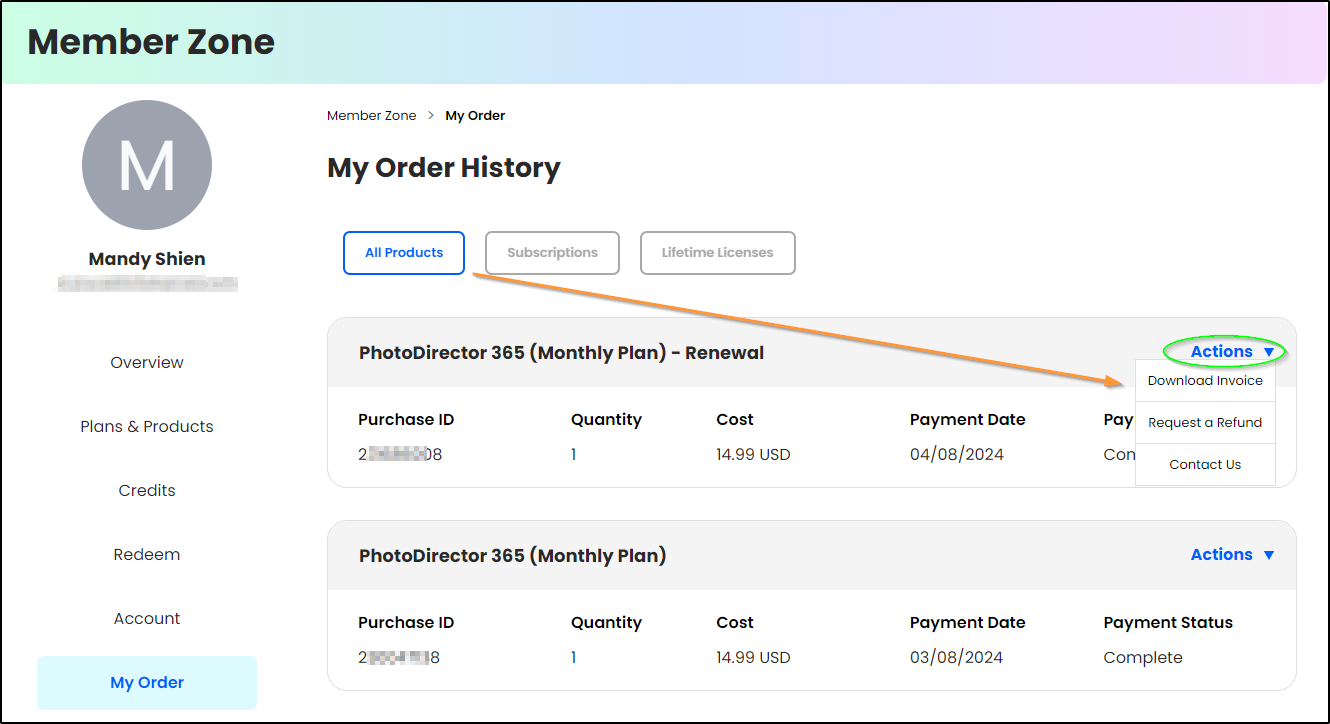
- Go to My Orders and find your purchase.
- Click Actions and then Download Invoice to get the Invoice in the pdf format.
Note:
If you need to include a tax ID and company name on your invoice, please use a credit card and then select the "Click here if you are a business" option when making your purchase.


