





What 360° video/photo formats are supported by CyberLink PowerDVD 18 or later versions?
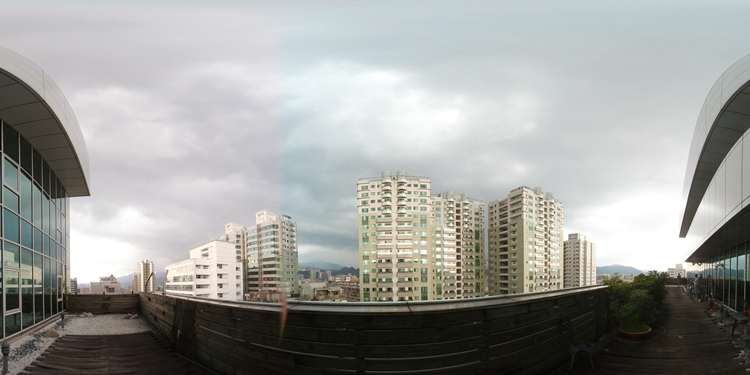
CyberLink PowerDVD 18 or later versions supports the playback of 360° videos/photos that are in the equirectangular or packed equirectangular (3D 360°) projection format (looks like a world map view of the video sphere).
- The equirectangular projection format of 360° video/photo:
- The packed equirectangular projection format of 3D 360° video/photo:
(The 3D 360° is saved as Over/Under 3D format in 1:1 aspect ratio as below.)
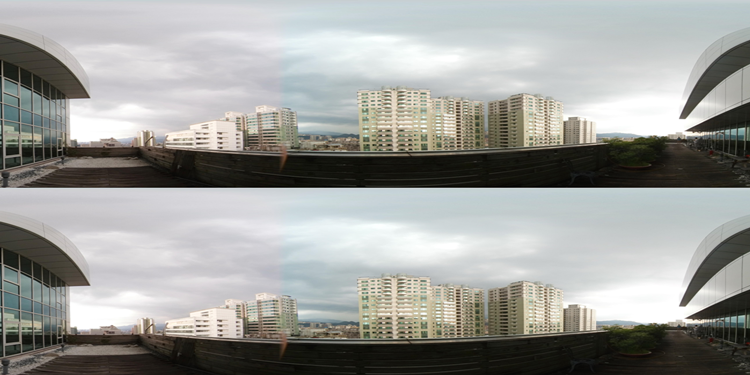
If the 360° video/photo file is not in the equirectangular/packed equirectangular projection format, you may need to use the tools that are included with your 360° video/photo camera to convert it. Most 360° camera tools/video editors that support 360° video/photo editing can output in this projection format.
Note:
- The 360° video/photo playback feature is supported in the Ultra and Live editions of PowerDVD 18 or later versions.
- Some CyberLink PowerDVD features are not available during 360° video/photo playback, including 3D mode, rotate video, subtitles, play to (casting media, steaming media, etc.), etc.
- If CyberLink PowerDVD did not detect your equirectangular format of 360° video/photo file, you can manually set the 360° source projection format.


